If you have any reports, medical records, or documents that may support your or your child’s assessment, we strongly encourage you to share them with us. Providing these documents helps your clinician better understand your needs.
Follow the step-by-step instructions below to upload your files securely.
Step-by-Step Guide:
- Log in to your Healios Dashboard. You can access the portal using here: https://panacea.healios.org.uk/
- Once logged in navigate to the 'Documents' tab (located at the top right-hand side of your main dashboard screen).

- Scroll down to 'Attachments'
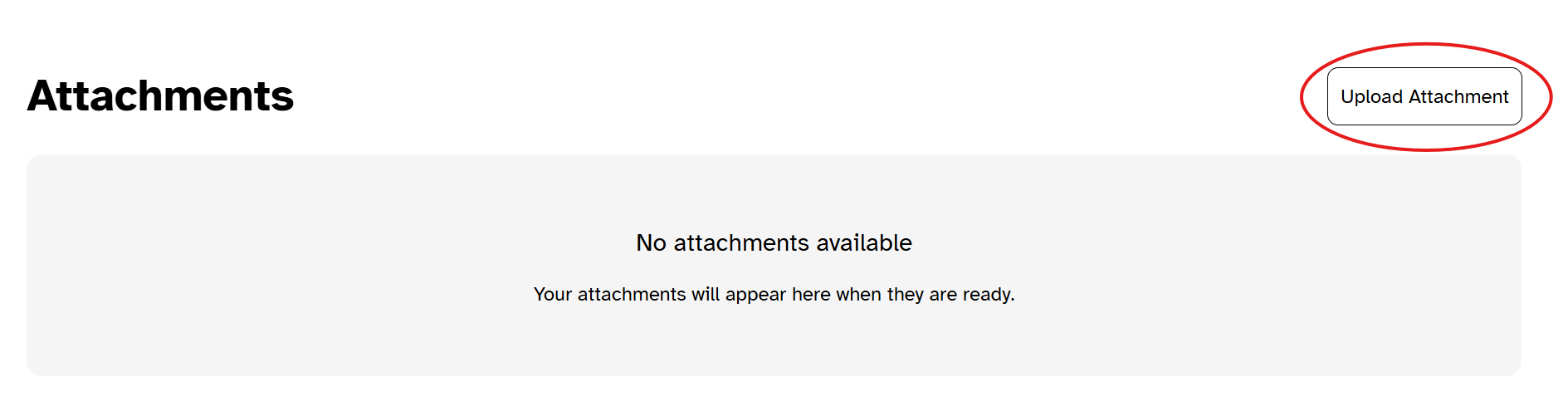
- Click the Upload Attachment button. Select the relevant report or document from your device to upload it.
What Happens Next?
Once uploaded, your file will immediately appear under your Documents tab, and will be accessible to your assigned clinician for review prior to, or during your sessions.
Supported File Formats
Please ensure your document or file is saved in one of the following accepted formats before uploading:
- Documents: .pdf
- Images: .jpg, .png, .gif
- Audio/Video: .mp3, .mp4
Was this article helpful?
That’s Great!
Thank you for your feedback
Sorry! We couldn't be helpful
Thank you for your feedback
Feedback sent
We appreciate your effort and will try to fix the article